
 Synch AI
Travel Quotation Software: Create AI-Assisted Itineraries & Send Quotes on Your Phone
Create AI-assisted itineraries and send professional travel quotes from your phone. Save time and win more bookings.

The booking you lost last week might not have been about price at all. Sometimes, the customer simply receives a quotation from another agent sooner.
A customer asks you to price a trip while you’re away from your desk. You can’t prepare the quote until you return, so the customer keeps looking at other options. By the time you send your offer, they may already be considering a quotation from another agency.
You can’t always be at your desk when an inquiry comes in, but you can make it easier to respond quickly while you’re away. That’s where mobile travel quotation software comes in.
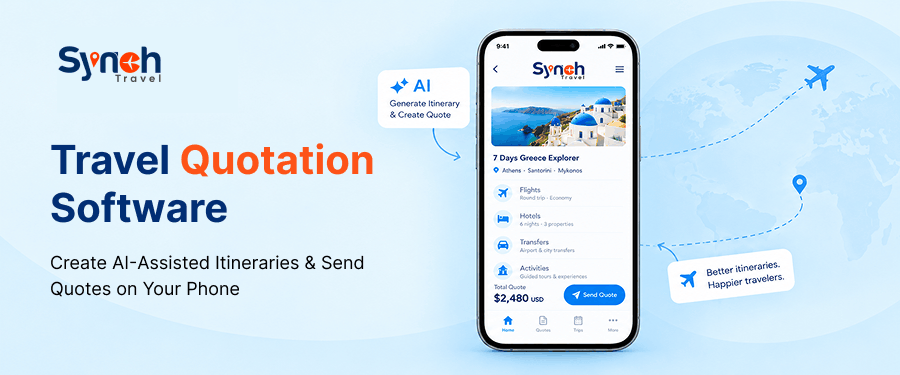
With the SynchTravel app, you can work on quotations, prepare itineraries, calculate selling prices, and send offers from your phone on the spot, without waiting until you return to the office.
In this guide, you’ll learn how travel quote software works, how to create and price a quotation on your phone, and how AI quotation software for travel agents can help you prepare itineraries while SynchTravel helps you manage customer details and bookings on the go.
What Is Travel Quotation Software?
Travel quotation software takes a customer’s request and turns it into a clear, priced offer, so you don’t have to rebuild every quote from scratch. It keeps travel services, supplier costs, markups, and selling prices in one place, so you can put a quotation together and review it before it goes out.
Without it, a single quote can have you jumping around, flight prices in one place, hotel costs in another, the markup worked out on the side, and the whole thing finally typed into a separate document.
Then the customer shifts their dates or picks a different hotel, and you’re back through half of it before you can send an updated offer.
A travel agency quotation system helps organize these tasks in a more consistent process. With mobile access, you can start working on a quotation when an enquiry arrives, even if you’re away from your desk.
How to Create a Travel Quotation Using the SynchTravel Mobile App
The SynchTravel app helps you move from a customer inquiry to a quotation you can review and send. Here’s how the process works.
1. Add the customer’s travel details: Enter the customer’s essential travel requirements, including the destination, travel dates and passenger information, to start preparing the quotation.
2. Create an itinerary with AI assistance: Instead of typing the complete plan on your phone, use SynchTravel’s AI features to help turn the customer’s request into a structured draft itinerary. Review the suggested plan, make any necessary changes & check that it matches the customer’s requirements before moving on.
3. Build the trip in one quotation. Add the flights, hotel, transfers, visa and any excursions, each with its cost. They come together into a single offer with one total. If the customer changes a service, you can update the quotation without rebuilding the entire offer. As travel proposal software, it gives the client one clear offer instead of pieces to assemble themselves.
4. Price it with your markup. Once you have the service costs, apply your markup to work out what you will charge the customer. SynchTravel supports pricing calculations, including markup per service or per person, so you can set the selling price without relying on separate manual calculations.
Before sending the quotation, check the costs, markup and final amount. Accurate pricing matters because a mistake can reduce your profit or leave the customer with an incorrect price.
5. Review and send. Check that the services match the enquiry, the itinerary is accurate and the total price is correct. When you’re happy with the details, send the quotation to the customer from your phone.
If the required information and costs are already available, it’s a few minutes’ work, which is exactly what creating a quotation on your phone looks like in practice. A more involved trip takes longer, but you’re moving it forward from wherever you are, not waiting on the office.
Keep Customer and Booking Details Close at Hand
Sending the quotation is only one part of the job. A customer might ask for a change, want to see another option, or come back a few days later ready to confirm.
The SynchTravel app keeps all of that within reach. From your phone you can manage leads and customers, check bookings, track payments and open travel documents, no trip back to the office every time someone needs an answer.
Built-in travel CRM software holds each customer’s details and inquiry history in one place, so when a conversation picks back up, you’re not scrolling through old messages to piece together what they asked for.
As travel agent software, SynchTravel keeps the customer and the booking side by side, and the thread stays easy to follow.
You can also track price quotes, see which offers are still open and follow up with the customers who haven’t replied yet. It’s a simple way to keep potential bookings moving, instead of letting a quote quietly go cold.
How Faster Travel Quotations Can Improve Your Booking Chances
Speed is the quiet advantage here. In travel, the travel businesses that answer first usually get the booking, and a quote sent within the hour reads as service; a next-day reply never will.
You may be between appointments, visiting a supplier or travelling to meet a client. Instead of leaving the quotation until later, you can start preparing it, check the pricing and send it when the details are ready.
That can help you respond sooner, reduce the number of quotations waiting to be completed and spend less time catching up after office hours. A faster response doesn't guarantee a booking, but it gives the customer time to consider your offer while their plans are still fresh.
SynchTravel gives you access to the same system through both the web portal and the mobile app. Manage quotations, customers, bookings and payments on the go, then switch to the web portal whenever you need a larger screen for more detailed work.
Quote Before the Lead Goes Cold with SynchTravel Mobile App
You shouldn’t have to wait until you’re back at your desk to start helping a customer plan their trip.
With the SynchTravel app, you can prepare quotations on the go, use AI to draft itineraries, calculate selling prices, and share offers from your phone.
Your customer and booking information is also available through the wider system, helping you manage the work that follows.
Want to see how it works? Book a demo of SynchTravel or download the app using the official store links.
Frequently Asked Questions
1) How long does it take to create a quote in the app?
With SynchTravel, creating a quotation can take just a few minutes. Simply enter the customer’s name to access their stored details, then use AI to draft the itinerary, review the pricing and send the quotation from your phone.
2) What’s the difference between the SynchTravel app and the web portal?
Both are part of the same system. Use the app to create, price and send quotations on the go, and the web portal for more detailed quoting and back-office work. Your data stays connected, so you can switch between the two without re-entering information.
3) Is travel quotation software better than a spreadsheet?
Yes, travel quotation software can help you create itineraries, update quotations, and manage customer details in one place. Unlike spreadsheets, it automates calculations and simplifies the quoting process, saving time and reducing manual errors.
4) Can I manage bookings and customers in the app too?
Yes, alongside building and sending quotations, the app lets you manage leads and customers, check bookings, track payments and open travel documents, all from your phone.
5) Where can I download the SynchTravel app?
The SynchTravel mobile app is available to customers using the SynchTravel web portal. Once you have access to the system, you can download the app from the App Store or Google Play and manage your work on the go. Book a demo to learn more.
Share Blog
Curious How SynchTravel Works in Real Time?
Explore how travel professionals are streamlining operations and growing faster with SynchTravel.
Book a Demo

