
 Synch AI
How to Automate Travel Agency Invoicing with Travel CRM Software
Travel CRM software automates invoicing by creating invoices from bookings automatically, tracking payments, and sending reminders aving agencies time.

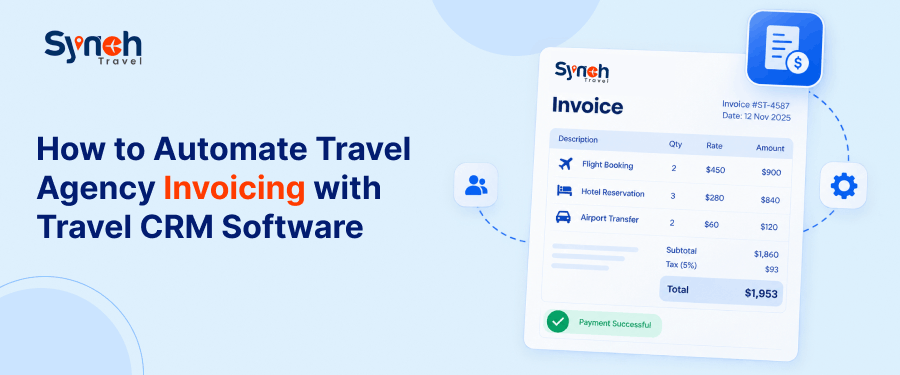
For a travel agency, invoicing is closely tied to the booking. The customer information, travel services, dates, pricing, and payment details are all part of the same transaction. Yet when these records are handled separately, the team may end up entering the same information more than once.
This is one of the main problems travel agency invoicing software is designed to address. Instead of creating every invoice from different tools, a connected system can use information already captured during the booking process.
With travel invoice automation, the invoice can move from preparation to review, approval, and payment tracking without rebuilding the booking information at each stage.
SynchTravel takes this approach further with built-in AI that uses existing customer and travel information to prepare a ready-to-review invoice. Your team stays in control of the final invoice while the repetitive preparation work is reduced.
What Changes When You Move to Connected CRM Invoicing?
Manual invoicing may be manageable with fewer bookings. As volume grows, teams have to manage more invoices, payments, balances, and supplier commitments alongside their bookings. Connected CRM invoicing brings these financial activities into the booking workflow, giving the team a clearer way to manage each stage from invoice preparation through payment tracking.
Invoicing Activity | Manual Invoicing | Connected CRM Invoicing |
| Invoice preparation | Booking details are entered manually into the invoice | Invoice is prepared using existing booking information |
| Data accuracy | Re-entering details can lead to mistakes in prices, dates, or services | Using existing booking data reduces repeated data entry |
| Payment tracking | Payments and outstanding balances may be tracked separately | Payment activity stays linked to the invoice and customer ledger |
| Supplier payments & deadlines | Supplier payments & due dates are managed separately | Supplier payments & deadlines stay linked to the booking |
| Booking changes | Changes require the invoice to be checked & updated separately | Existing booking information is available when invoice details change |
| Invoice turnaround | More manual work is required before the invoice is ready | Less preparation work is needed before review & sending |
This approach can help small travel agencies reduce repetitive administrative work, as well as tour operators managing bookings with multiple services and payment stages. For businesses handling groups, group travel booking software can also keep booking and financial information organized within the same workflow.
The Role of a Travel CRM in Invoice Automation
By the time a travel agency needs to create an invoice, much of the required information already exists.
The customer has been added. The quotation has been prepared. Travel services have been selected. Dates and prices have been agreed. Once the booking is confirmed, the information needed for the financial step is already part of the booking record.
This is where travel CRM software becomes important.
A travel CRM with invoicing keeps customer, quotation, booking, and financial information within the same workflow. Instead of moving the same information from one system or record to another, the team can continue working with the information already captured.
The process can therefore move from:
Customer → Quotation → Booking → Invoice → Payment → Ledger
The CRM provides the information that the invoicing process needs. Automation then reduces the manual work involved in turning that information into an invoice and keeping track of what happens afterwards.
This is the important connection: the information collected while managing the customer and booking continues into the financial workflow instead of being entered again.
How Travel Invoice Automation Works from Booking to Payment
When a booking is ready to invoice, the work should not start again.
The customer information and travel services have already been handled during the quotation and booking process. The next financial steps should build on that existing information.
With SynchTravel, the workflow can continue from the booking into invoice preparation, review, payment tracking, ledger updates, and supplier-side financial tasks.
Step 1: Start with the Existing Booking Information
The first step happens before invoicing begins.
Customer details and selected travel services are already stored during the quotation and booking process. When the booking reaches the invoicing stage, that information is available for the next step.
Your team does not need to collect the same details again simply to prepare an invoice.
The booking becomes the starting point for the financial workflow.
Step 2: Use AI to Prepare the Invoice
Once the booking is ready, the agent can ask SynchTravel AI to prepare the invoice.
Because the relevant customer and travel information is already stored in the system, AI can use those details to create a ready-to-review invoice.
The agent is not rebuilding the invoice line by line or entering travel services that were already added during the quotation.
The process becomes:
Booking information → AI invoice preparation → Ready-to-review invoice
This is where automation removes one of the most repetitive parts of travel agency invoicing software without separating the invoice from the booking that created it.
Step 3: Review, Approve and Send
Automation does not mean an invoice should be sent without a final check.
Once AI has prepared the invoice, the responsible team member can review the details and make any necessary changes. After approval, the invoice can be sent to the customer.
This keeps a human review point in the process while removing the need to prepare the entire invoice manually.
AI prepares. Your team reviews and approves.
Step 4: Keep the Financial Record with the Booking
Sending the invoice is not the end of the process.
Once the invoice is created, the related customer or client ledger can be updated automatically. The financial activity remains associated with the booking rather than becoming another record the team has to maintain separately.
This gives the team a clearer view of the customer's financial position for that booking.
It also makes travel agency invoice management easier because the invoice remains part of the same workflow as the booking that generated it.
Step 5: Track Payments and the Outstanding Balance
The next stage is keeping track of what the customer has paid and what remains due.
When a payment is recorded, the related payment and ledger information can be updated. The outstanding amount changes accordingly, giving the team a current view of the balance.
The process becomes:
Invoice → Payment recorded → Ledger updated → Outstanding balance updated
This is particularly useful when a booking involves a deposit followed by one or more later payments. The team can see the remaining amount without repeatedly working it out from separate records.
This is also where travel agency payment automation becomes useful: the payment activity remains connected to the invoice and booking rather than becoming another standalone task.
Step 6: Track Supplier Payments and Important Deadlines
The customer's invoice is only one side of the financial work involved in a travel booking.
The business may also need to make payments to hotels, transfer providers, activity suppliers, or other travel partners. These payments need to be tracked against the relevant booking so the team knows what has been paid and what remains due.
SynchTravel keeps supplier payment information connected to the relevant booking, customer, and supplier records.
The team can also track important payment and booking-related deadlines at the booking level, with alerts for upcoming actions.
So the workflow continues beyond the customer invoice:
Customer invoice → Payment tracking → Customer ledger → Supplier payment tracking → Deadline monitoring
The Complete Workflow
Put together, the process looks like this:
Customer enquiry → Quotation → Travel services added → Booking confirmed → Existing booking information → AI-prepared invoice → Review & approval → Invoice sent → Customer/client ledger updated → Payment recorded → Balance updated → Supplier payments & deadlines tracked
This is the practical purpose of automate travel agency invoicing: not simply producing an invoice more quickly, but carrying the information from the booking through the financial steps that follow.
How Travel Booking Software Fits into the Financial Workflow
In a travel business, booking and financial activity are closely connected.
A booking does not end when the reservation is confirmed. The team still needs to issue the invoice, track payments, monitor the balance, and handle supplier-side financial commitments.
That is why travel booking software with automated billing can be more useful than a booking system that stops once the reservation is created.
The booking provides the information. The invoicing process uses it. Payment activity then continues against the same record.
For agencies handling both customer bookings and financial follow-up, this creates a more practical workflow than maintaining separate processes for reservations and billing.
The same approach can also form part of a broader travel automation platform, where customer management, booking activity, invoicing, and payment-related tasks are handled within one system.
Why This Matters for Travel Agencies & Tour Operators
The need for connected invoicing is not limited to one type of travel business.
Travel agencies may manage individual customer bookings, family trips, group travel, or agent bookings. Tour operators may handle packages containing several services and payment stages.
For both, tour operator invoicing software and travel focused invoicing tools need to account for the fact that an invoice is tied to a travel transaction, not simply a list of products.
The more services a booking contains, the more useful it becomes to have the customer, booking, invoice, payment, and supplier information available within the same workflow.
This is also why travel agency management software needs to cover more than customer records or bookings alone. The financial steps that follow a booking are part of managing the business.
Bringing the Booking and Invoicing Workflow Together with SynchTravel
With SynchTravel, the information your team manages while working with a customer is already available when it is time to create the invoice. Customer details, quotations, travel services, pricing, and booking information are stored in the same system, so there is no need to rebuild the invoice from the beginning.
Built-in AI uses these details to prepare a ready-to-review invoice. Your team checks it, makes changes if needed, approves it, and sends it.
From there, payments, outstanding balances, customer or client ledgers, supplier payments, and important deadlines can continue to be managed against the booking.
This gives travel businesses a cloud-based travel management system where the booking and the financial work that follows it can stay within the same workflow.
For businesses looking for all-in-one travel agency software, the benefit is not simply having more features in one place. It is being able to carry the same information from customer management and booking through invoicing and payment without repeatedly entering it.
Ready to Simplify Your Travel Invoicing Workflow?
Request a travel CRM demo to see how SynchTravel's AI-assisted invoicing workflow fits into your travel business.
Frequently Asked Questions
How can I automate travel agency invoicing?
Start with the information you already have. If your customer details, services, dates, and prices are already stored with the booking, your invoicing software can use that information instead of making your team enter it all over again.
What is travel invoice automation?
It simply means taking the repetitive work out of invoicing. Instead of preparing every invoice from scratch, the system can use existing booking information, while your team still reviews the invoice before it is sent.
Can travel CRM software handle invoicing?
Yes, if the CRM includes invoicing. This allows customer and booking details to carry into the invoice, rather than making your team manage the same information separately.
What should travel agency invoicing software include?
At a minimum, it should make it easy to create invoices from booking information, track payments and outstanding balances, and keep the financial record tied to the right customer and booking.
What is the difference between travel CRM software and travel agency billing software?
A CRM is mainly concerned with the customer and booking relationship, while billing software focuses on invoices and payments. When the two work together, the information from the booking can flow directly into the financial side of the process.
Share Blog
Curious How SynchTravel Works in Real Time?
Explore how travel professionals are streamlining operations and growing faster with SynchTravel.
Book a Demo

